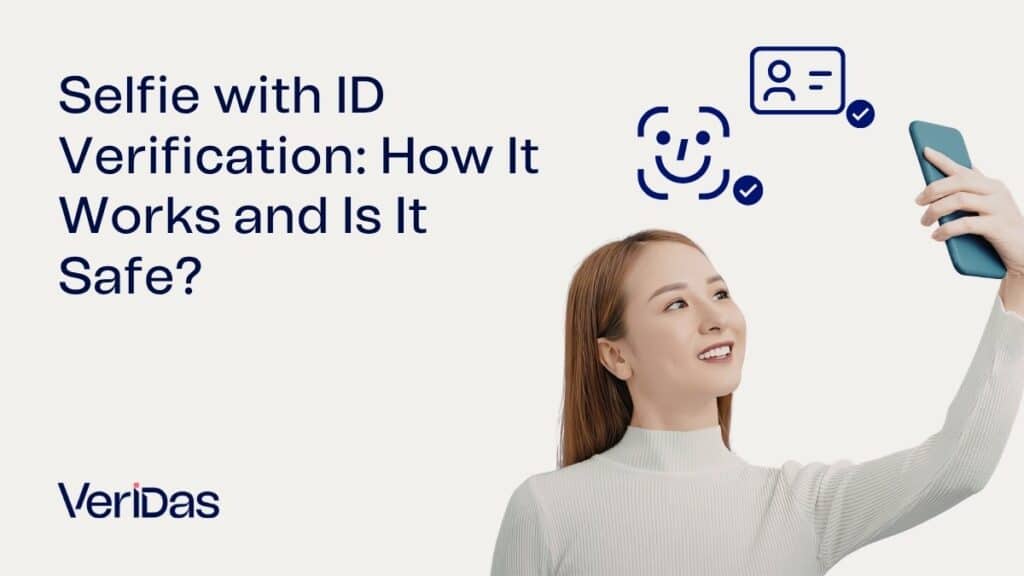
Selfie verification is a digital process that confirms a user identity by comparing a real-time photo with their official ID. This method ensures the person performing an action is the legitimate owner of the document provided.
The technology uses advanced artificial intelligence to analyze unique facial features and detect potential fraud attempts. It provides a fast and secure way to access digital services in sectors like banking and telecommunications.
And that is why companies worldwide are adopting this biometric standard. It balances a seamless user experience with the high security levels required for modern digital interactions and remote onboarding.
Selfie with ID verification is a biometric process where a user submits a real-time photo and a government-issued ID. AI algorithms perform face authentication and liveness detection to prevent identity theft. This method is highly secure when managed by certified providers like Veridas, complying with GDPR and international security standards. It is commonly used for opening bank accounts, accessing age-restricted services, or creating digital signatures remotely.

What Does Selfie with ID Mean?
A selfie with ID is a digital proof of identity. It requires the user to take a photo of themselves while holding or presenting their official identification document. This selfie with ID serves as a visual link between the physical person and their digital credentials.
The main goal is to verify that the individual is present and active. It is not just about having a static image but proving that the person is real. Many systems now require a live selfie verification instead of a simple static photo.
This method has replaced traditional in-person identity checks. It allows for a seamless digital experience while maintaining strict security protocols. Users can complete the process in seconds using their smartphones or computers.
But the term also refers to the technological backend. Specialized software analyzes the selfie identity to ensure no manipulation has occurred. This ensures the integrity of the entire verification workflow.
Modern selfie ID verification tools use neural networks. These networks compare thousands of facial points to ensure a perfect match. The evolution of this technology has made digital banking safer for millions.

Why Companies Ask for a Verification Selfie with ID
Companies request a verification photo to comply with legal regulations. Laws like Know Your Customer (KYC) and Anti-Money Laundering (AML) require businesses to verify their clients’ identities. This is especially critical in financial and insurance services.
Another reason is fraud prevention. Standard passwords and usernames are often compromised by hackers. A selfie with ID provides a biometric layer that is much harder to steal or replicate.
It also improves the customer experience. Digital verification allows users to access services 24/7 from anywhere. There is no need for physical paperwork or manual reviews that take days to process.
And it builds trust between the provider and the user. Knowing that a platform verifies all its members creates a safer environment for everyone. This is vital for sharing economy apps or dating platforms.
Below is a breakdown of why different departments within a company require this selfie verification:
- Compliance Department: To meet international AML and KYC regulatory requirements.
- Security Team: To reduce the risk of account takeover and synthetic identity fraud.
- Product Team: To offer a frictionless and fully digital user onboarding journey.
- Marketing Team: To increase conversion rates by simplifying the sign-up process.
How Selfie ID Verification Works Step by Step
The selfie ID verification process is automated and highly technical. It follows a structured path to ensure maximum accuracy and security. Below is a summary of the main stages involved in a standard process.
| Stage | Action | Technology Used | Security Level |
|---|---|---|---|
| Document Capture | User takes a photo of their ID card or passport. | OCR and Document Shield. | High |
| Selfie Capture | User takes a live verification picture. | Biometric Engine. | Critical |
| Face Matching | System compares the selfie with the ID photo. | AI Facial Recognition. | Maximum |
| Liveness Check | System ensures the user is a real person. | Anti-spoofing algorithms. | Critical |
| Final Validation | The system issues a confidence score. | Decision Engine. | Standard |
Identity check with document photo
The first step involves capturing the identification document. The system uses Optical Character Recognition (OCR) to extract data like name, birth date, and document number. This happens instantly through the user camera.
The software also performs security checks on the document itself. It looks for watermarks, holograms, and specific patterns that indicate authenticity. Any sign of tampering will trigger a rejection of the verification photo.
Veridas technology supports thousands of document types globally. This ensures that users from different countries can be verified without issues. The system is designed to handle various lighting conditions and angles.
And the data is processed securely to maintain privacy. Only the necessary information is extracted for the identity check. This step is the foundation for a successful selfie identity verification.
Face matching with selfie verification
Once the document is validated, the system focuses on the user face. The user is asked to take a selfie verification in real-time. The AI then extracts biometric templates from both the selfie and the ID photo.
These templates are mathematical representations of facial features. The system compares them to find a match. This process is extremely accurate and can distinguish between similar faces or twins.
A key part of this stage is liveness detection. It ensures the user is not presenting a photo, a video, or a mask. This prevents “presentation attacks” which are common in identity fraud attempts.
But the matching happens in milliseconds. Users do not experience delays during their onboarding. This speed is a result of advanced machine learning models trained on diverse datasets.
Security checks and fraud prevention
The final stage involves a comprehensive security analysis. The system checks if the user has been blacklisted or if the document has been reported as lost. This happens in the background without user intervention.
Advanced algorithms also detect deepfakes or AI-generated images. As fraud tactics evolve, the selfie ID verification software must stay ahead. Continuous updates are applied to counter new threats.
All communication between the user device and the server is encrypted. This protects the verification picture from being intercepted by third parties. Privacy by design is a core principle of this technology.
And the result is a high-confidence score. Companies receive a clear pass or fail indication. This allows them to automate their approvals while keeping risks at a minimum.
How to Take a Selfie with an ID Correctly
A clear verification photo is essential for a smooth process. Most rejections happen because the image quality is poor or the instructions are not followed. Following a few simple steps can guarantee success.
Tips for a valid verification photo
Ensure you are in a well-lit area. Natural light is best for capturing clear details. Avoid strong shadows or bright glares that might cover your face or the ID document.
Hold the ID card close to your face but do not cover any facial features. Both your face and the document must be fully visible within the frame. The text on the verification selfie with ID card must be readable.
Stay still and look directly at the camera. A neutral expression is usually recommended for biometric systems. Make sure the camera focus is sharp on both entities.
And check the background before taking the photo. A plain, neutral background helps the AI focus on the right subjects. This simple preparation prevents most common technical errors.
Use the following checklist to ensure your selfie holding ID is perfect:
- Clean your phone camera lens to avoid blurriness.
- Remove glasses or hats if they obscure your face.
- Hold the document steady to prevent motion blur.
- Ensure all four corners of the ID card are visible.
- Wait for the auto-capture feature if available.
Common mistakes that cause rejection
One frequent mistake is using a blurry or low-resolution camera. If the system cannot read the text or see your eyes, the selfie holding id will be rejected. Always clean your camera lens before starting.
Another issue is covering information with your fingers. When you hold the ID, make sure you are not hiding the photo or the expiration date. These are critical data points for the verification.
Wearing hats, sunglasses, or heavy masks can also interfere. Biometric systems need to see your full face to perform an accurate match. Remove any accessories that alter your appearance significantly.
But using an expired document is also a common cause for failure. Ensure your ID is valid and in good physical condition. A damaged card might be flagged as a fraudulent verification picture.
Is It Safe to Send a Selfie with Your ID Online?
Sending a selfie verification is safe if the company uses a reputable provider. Trusted organizations implement strict data protection measures. They must follow regulations like GDPR in Europe or CCPA in the United States.
Data encryption is used to protect your biometric information. This means your verification photo is converted into a code that only authorized systems can read. Your actual image is often not stored permanently.
Reputable providers like Veridas are certified by international standards. These certifications ensure that the technology is reliable and the data handling is secure. Always check if a service has a clear privacy policy.
And you should verify the legitimacy of the request. Only provide a selfie holding id to known and trusted businesses. If you receive an unexpected request from an unknown source, it might be a phishing attempt.
Compare the different security layers in the table below:
| Security Layer | Function | Benefit |
|---|---|---|
| AES-256 Encryption | Protects data during transmission. | Prevents interception by hackers. |
| Biometric Hash | Converts face into a math code. | Face cannot be reconstructed from code. |
| SOC2 Compliance | Audit of internal security controls. | Ensures company-wide security standards. |
| ISO 27001 | International security certification. | Global benchmark for data management. |
When You Should Not Share an ID Verification Picture
Never share a verification picture on public social media or unencrypted messaging apps. These platforms are not secure for sensitive personal data. Hackers can easily harvest these images for identity theft.
Avoid responding to emails or texts that ask for a selfie with ID urgently. Legitimate companies will usually ask you to perform this action within their official app or website. Be suspicious of links that take you to external sites.
Do not provide your biometric data to services that lack a transparent legal background. If a website looks unprofessional or lacks contact information, it is a red flag. Protecting your selfie identity is your priority.
But also be careful with “challenges” or apps that ask for your ID for fun. Your identification document is a sensitive asset. Use it only for formal and necessary administrative or commercial processes.
Identify these red flags before sharing any verification selfie with id card:
- The website URL does not use HTTPS security.
- The request comes from a generic email address (e.g., gmail.com).
- The company does not provide a Privacy Policy link.
- The process asks for your social media passwords alongside the ID.
Advanced Technologies in Selfie Verification
The field of selfie verification is constantly evolving with new AI capabilities. Today, systems are capable of detecting not just physical masks, but also digital injections. This refers to hackers trying to inject a pre-recorded video into the camera feed.
Passive liveness detection is another major advancement. It allows the system to verify a person is real without asking them to move or blink. This significantly reduces friction during the selfie identity check.
Veridas leads the market with proprietary technology that performs all these checks locally or in the cloud. Our biometric engine is ranked among the best by NIST (National Institute of Standards and Technology). This level of precision is what defines modern security.
And as we move towards a more digital future, these systems will become even more integrated. Digital wallets and decentralized identity will rely on a secure selfie with ID as the primary access key.
Use Cases by Industry
- Banking: Opening remote accounts and verifying high-value transactions securely.
- Telcos: Digital SIM card registration and contract signing without physical presence.
- Mobility: Verifying driving licenses for car-sharing and scooter rentals instantly.
- Gambling: Mandatory age verification and preventing multiple account fraud.
- Insurance: Fraud-free claims processing by verifying the claimant identity.
- Hospitality: Remote check-in for hotels and vacation rentals.
Frequently Asked Questions (FAQ)
How long does a selfie verification take?
The process usually takes less than 30 seconds. Advanced AI systems like Veridas process the document and the selfie matching almost instantly.
Is my biometric data stored forever?
No. Data retention depends on the company’s privacy policy and local laws. Many systems only store a biometric template, not the actual photo.
What happens if my selfie is rejected?
You will usually receive an error message with instructions. Common causes are poor lighting or a blurry photo. You can typically try again immediately.
Can I use a copy of my ID for the verification?
Generally, no. Most secure systems require the physical document to detect security features like holograms. A photo of a copy will be rejected.
Does selfie verification work for people with glasses?
Yes, but the glasses should not have glares or dark tints. If the system fails to recognize you, removing them for the selfie is recommended.